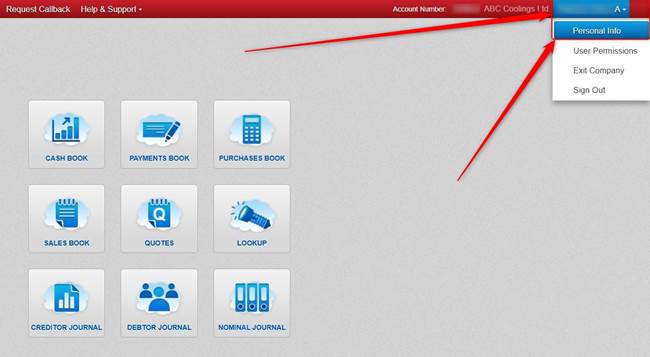
In Big Red Cloud, click the Name that show in the top right, and click Personal Info.
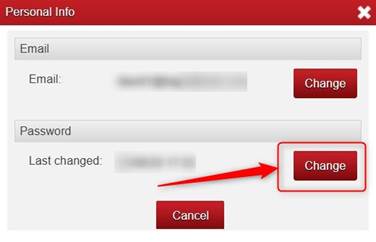
On the next screen, to the right of Password click Change.
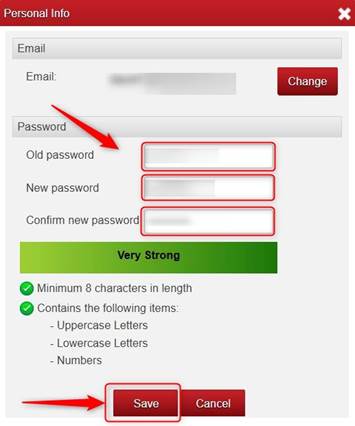
Type in your Existing Big Red Cloud Password (Old Password) and underneath type in the Password that you now want into both the New Password box and into the Confirm new password box and click Save.

Was this article helpful?
That’s Great!
Thank you for your feedback
Sorry! We couldn't be helpful
Thank you for your feedback
Feedback sent
We appreciate your effort and will try to fix the article