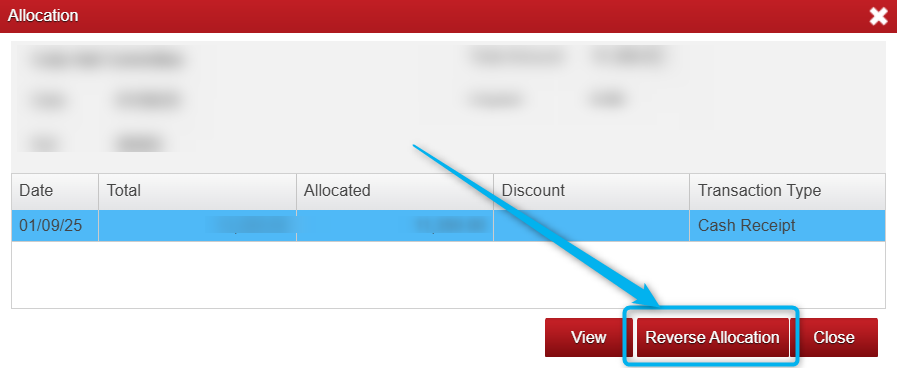
Sometimes transactions can be allocated incorrectly or issues can arise like the wrong account has been selected, and this cannot be changed after it has been allocated, so we in these cases we can reverse the allocation.
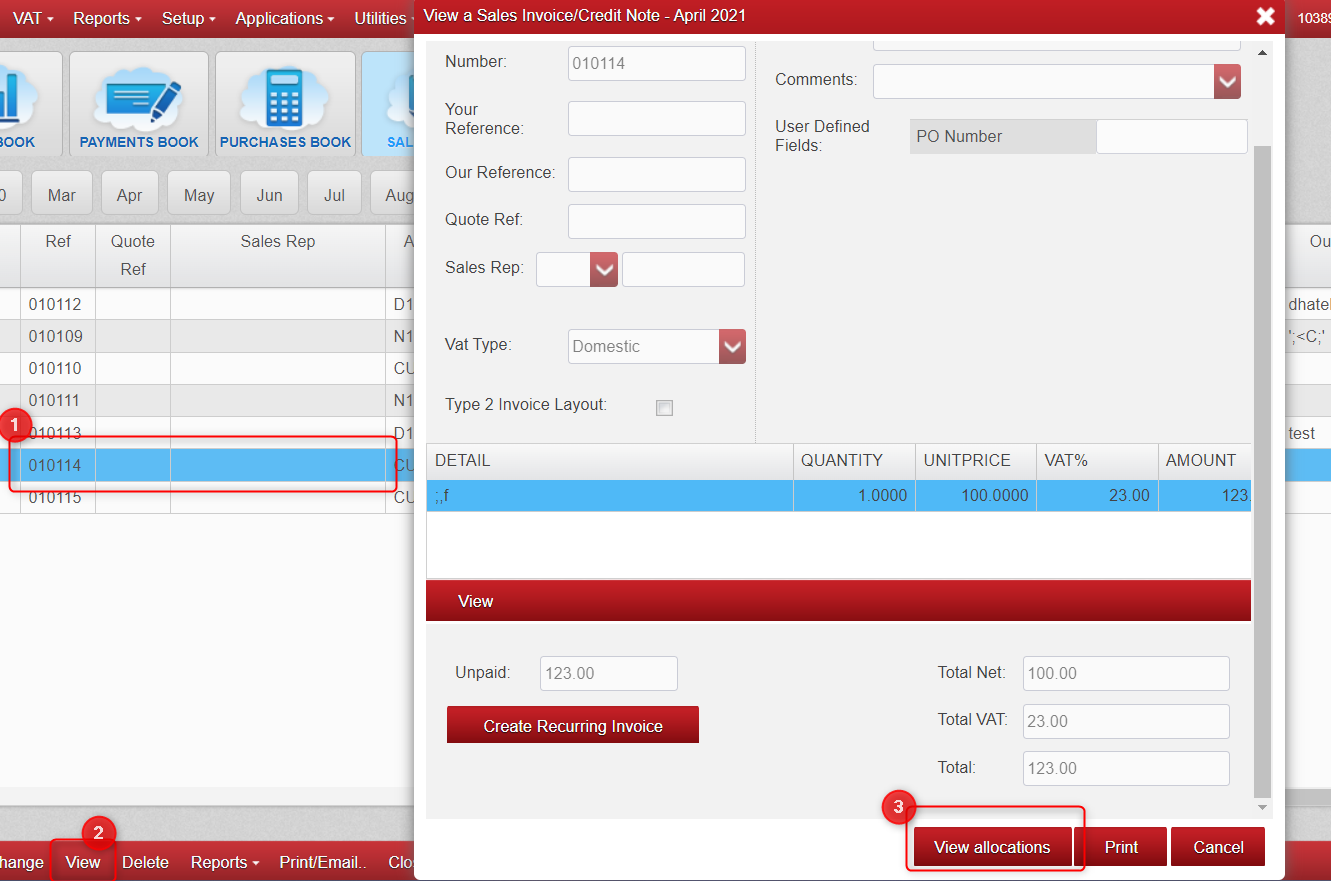
- Go to either the Purchases or Sales Books (same steps for both)
- Find your transaction
- Click on 'View' and then 'View Allocations'
- If it's in the current year and the period is not locked, you will now see an option to reverse that allocation.

Was this article helpful?
That’s Great!
Thank you for your feedback
Sorry! We couldn't be helpful
Thank you for your feedback
Feedback sent
We appreciate your effort and will try to fix the article