WARNING: These steps are for backing up the company IN Big Red Cloud (this does not back up your company to your machine nor to an external location i.e. USB, External Hard Drive).
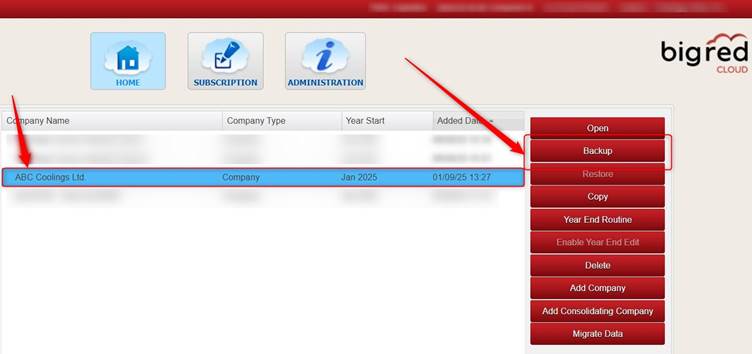
To back up your company in Big Red Cloud, on the Company Selection screen, highlight the company that you want to backup and click Backup (on the right).
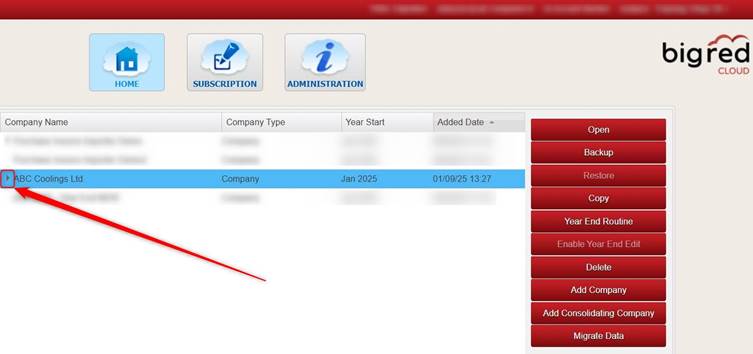
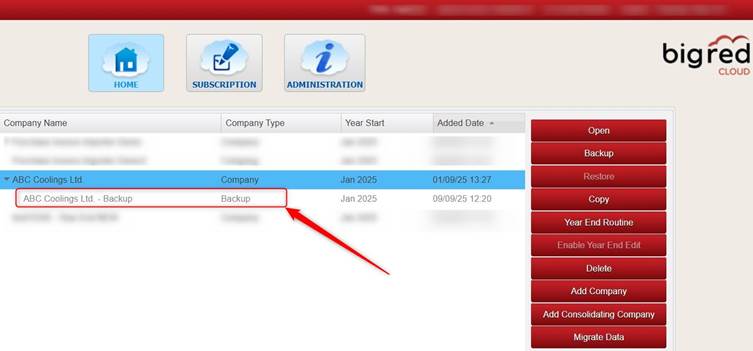
The backup will appear in grey underneath your company (you may need to click the small arrow to the left of your company in order to see the backup).
Was this article helpful?
That’s Great!
Thank you for your feedback
Sorry! We couldn't be helpful
Thank you for your feedback
Feedback sent
We appreciate your effort and will try to fix the article