·
You can add a new customer from the Big Red Cloud mobile app in four steps. The only required field is the unique A/C (Account) Code.
Get the app
Download Big Red Cloud from the App Store (iPhone and iPad) or Google Play (Android), then sign in with your API Key.
Add a customer
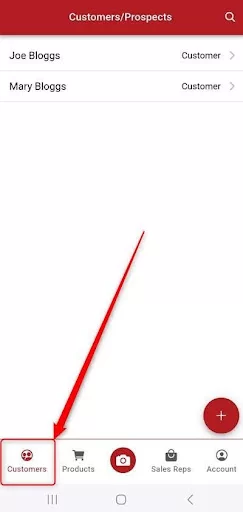
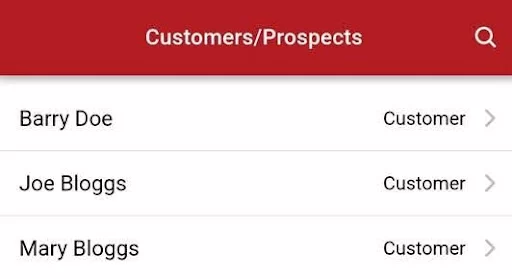
- Open the Big Red Cloud app and tap Customers.
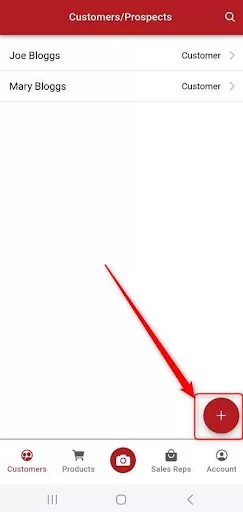
- Tap the red + button.
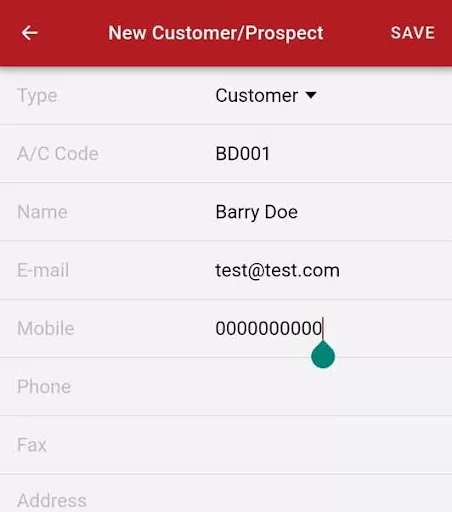
- Enter an A/C Code for the customer, plus any other details you have (such as name and contact information), then tap Save.
- Tap OK on the "Customer successfully added" message.
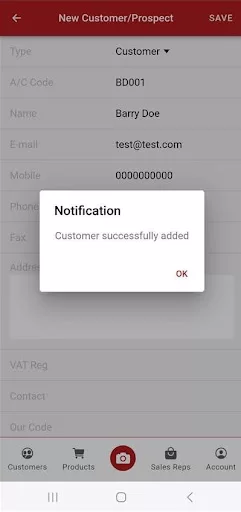
The customer is now ready to invoice.
Next step
To bill your new customer, see How to Add a Sales Invoice in App.

Was this article helpful?
That’s Great!
Thank you for your feedback
Sorry! We couldn't be helpful
Thank you for your feedback
Feedback sent
We appreciate your effort and will try to fix the article