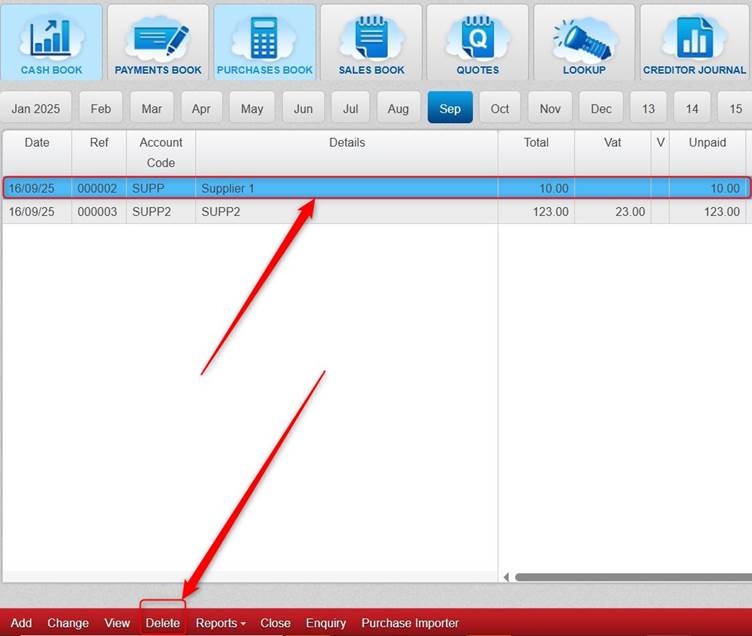
In each of the books, you can click the transaction that you want to delete (so that it shows highlighted in blue), click Delete.
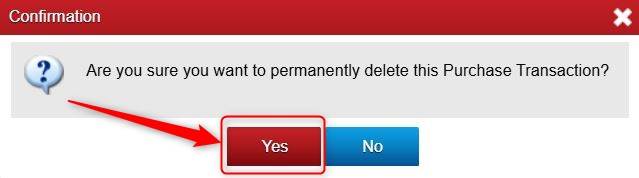
Click Yes.
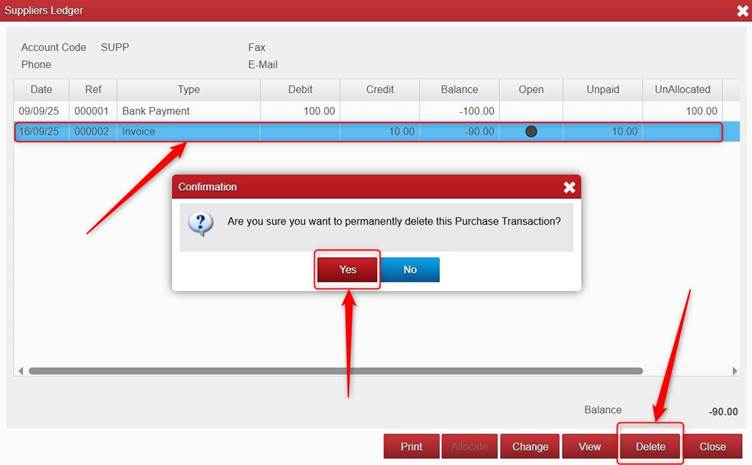
You can also delete transactions from the customers ledger/suppliers ledger/ and bank ledger.
To do this:
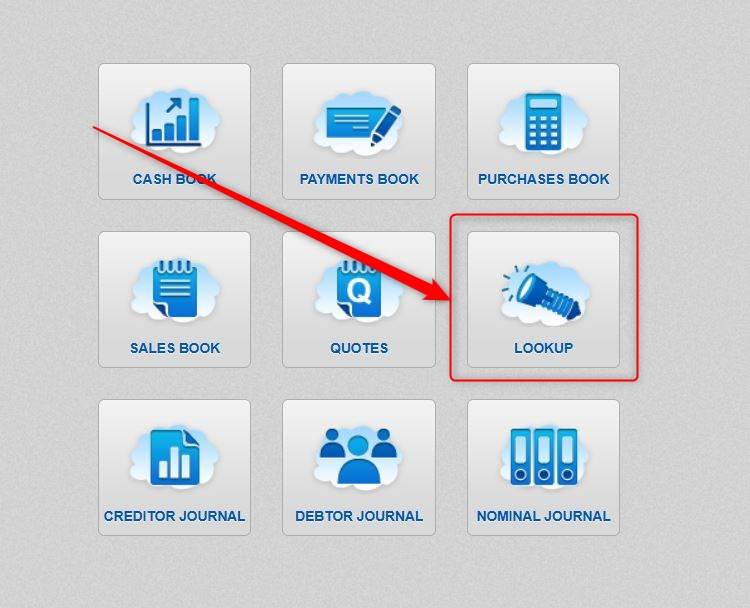
Click Lookup.
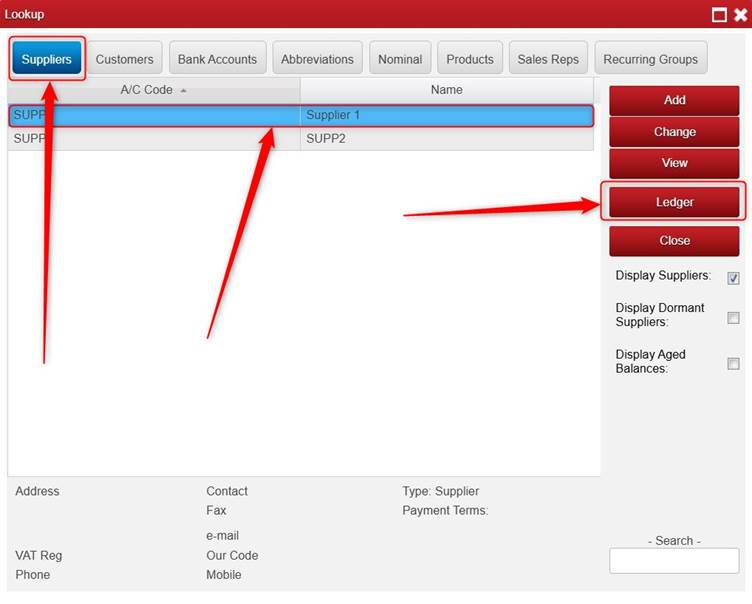
Choose Customers OR Suppliers OR Bank Accounts (depending on which section you are looking to access).
Highlight the relevant Customer/Supplier or Bank Account > click Ledger.
Click the transaction you want to delete > click Delete > click Yes.
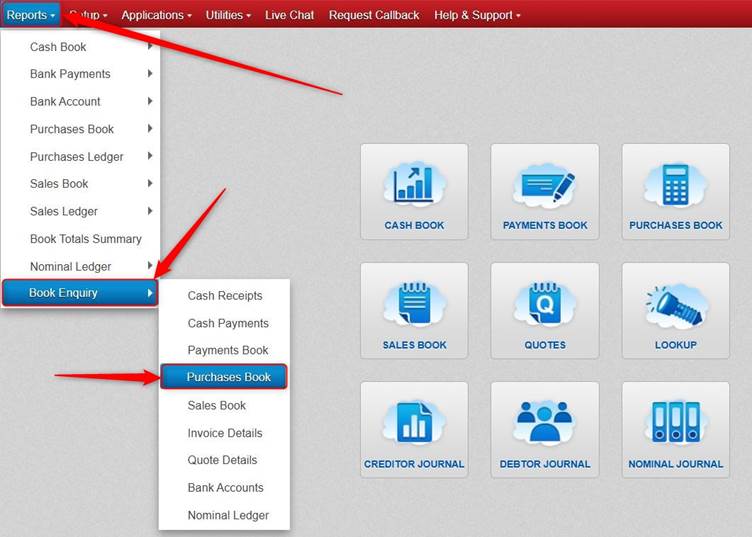
You can also delete a transaction from the Book Enquiry section.
To do this, click Reports > click Book Enquiry > and select the relevant Book Enquiry.
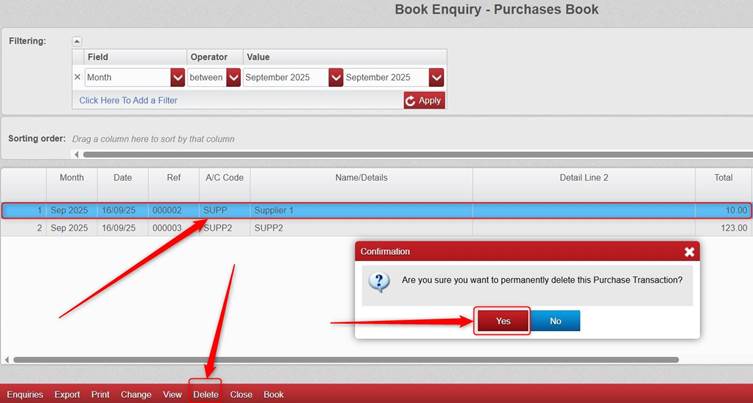
Click the transaction that you want to delete, click Delete > click Yes.
Was this article helpful?
That’s Great!
Thank you for your feedback
Sorry! We couldn't be helpful
Thank you for your feedback
Feedback sent
We appreciate your effort and will try to fix the article