Go to Setup > Reference Settings.
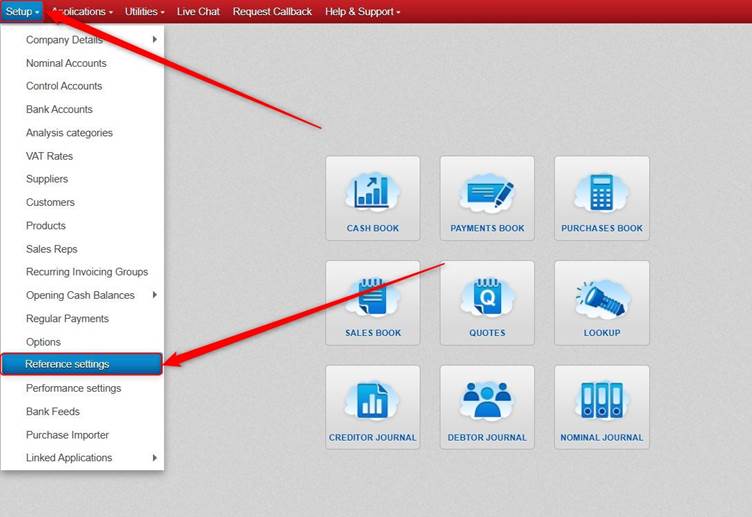
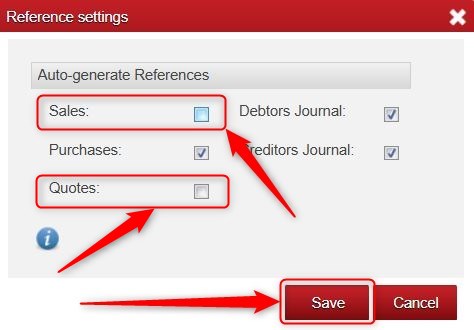
Next, untick any section where you want to be able to type your own Reference Numbers > and click Save.
In the screenshot below we have unticked Sales and Quotes, and so when entering Sales Book Entries/Sales Invoices and Quotes it will allow the Invoice/Quote/Reference/Number to be typed in.

Was this article helpful?
That’s Great!
Thank you for your feedback
Sorry! We couldn't be helpful
Thank you for your feedback
Feedback sent
We appreciate your effort and will try to fix the article