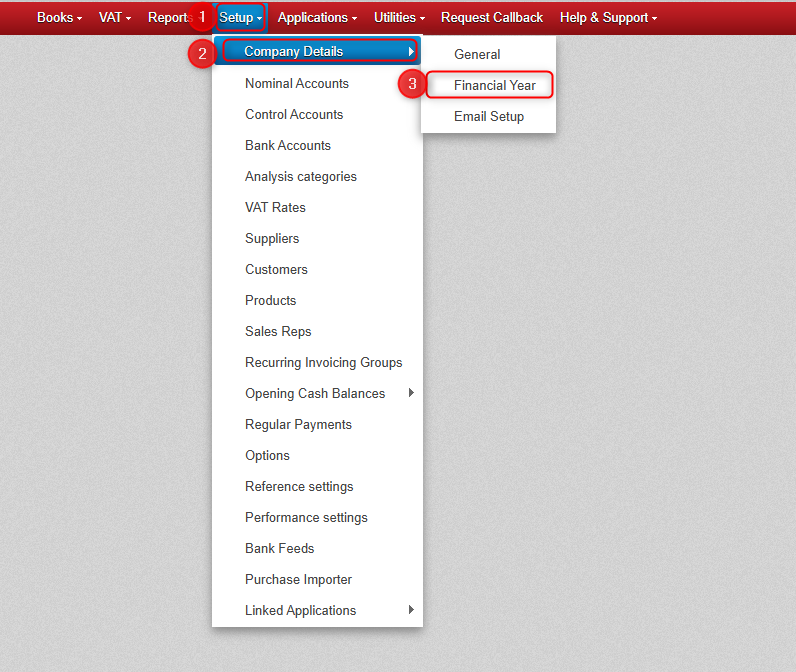
The Financial Year settings can be accessed in your company by going to Setup > Company Details > Financial Year.
WARNING: Please contact us if you are considering making changes to the Financial Year section in Big Red Cloud.
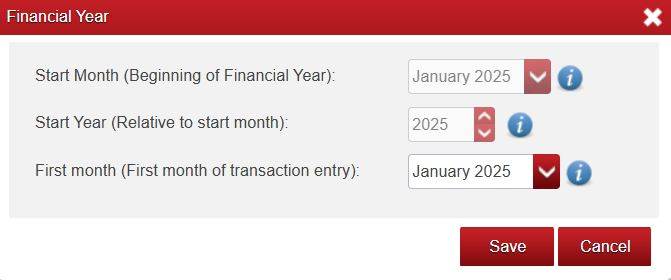
Start Month:
- This should be the first month of your financial (accounting) year. For example, having a Start Month of say January 2025 would mean that the financial year is set to run from January 2025 to December 2025.
Year:
- The year that you want to start entering transactions.
First Month:
- This is the first month that you want to be able to enter transactions into. You will not be able to enter transactions prior to this month.
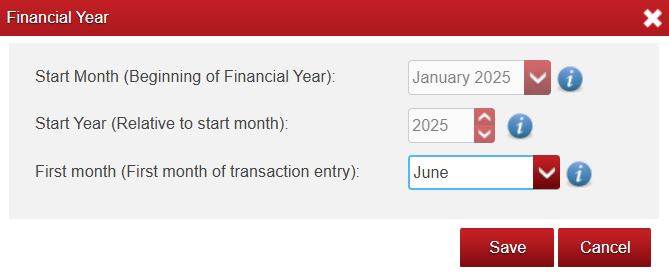
- For example: a First Month of January 2025 would mean that you can enter transactions into the January 2025 month and beyond, whereas say a First Month of June 2025 would mean that you can only enter transactions into June 2025 month and beyond (i.e. you wouldn’t be able to enter transactions into say the May 2025 month).
- All Opening Balances will be dated according to the First Month (not according to the Start Month).
- First Month may be different from your Start Month.

Was this article helpful?
That’s Great!
Thank you for your feedback
Sorry! We couldn't be helpful
Thank you for your feedback
Feedback sent
We appreciate your effort and will try to fix the article