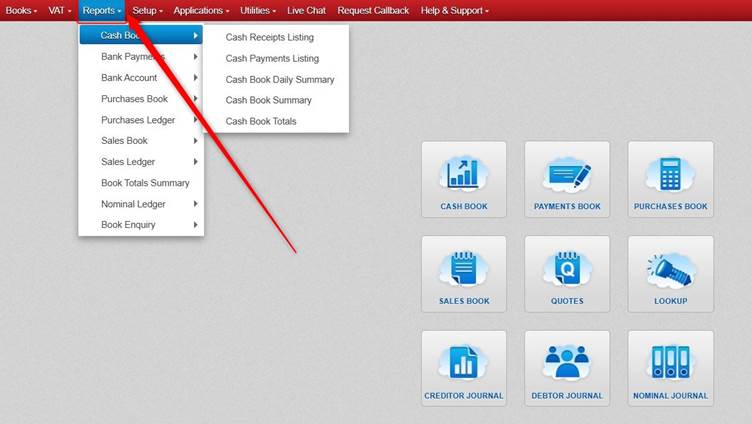
Most reports are available from the Reports menu at the top of the screen.
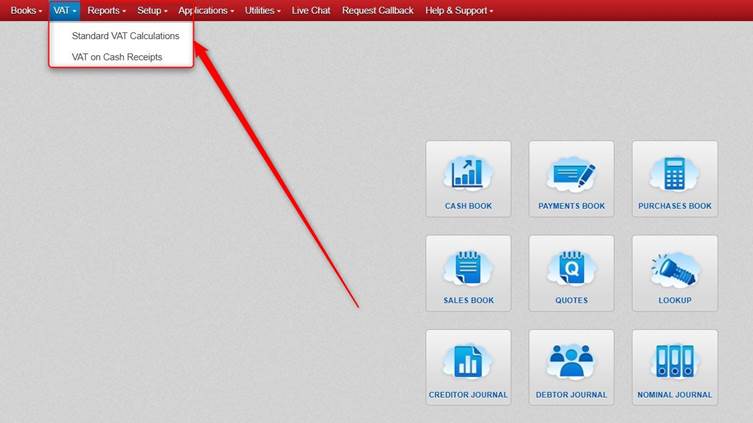
However, the Standard VAT and Vat on Cash Receipts report are available from the VAT menu instead.
Note: if you need to access the VAT on Cash Receipts report and if it does not show, please contact us.
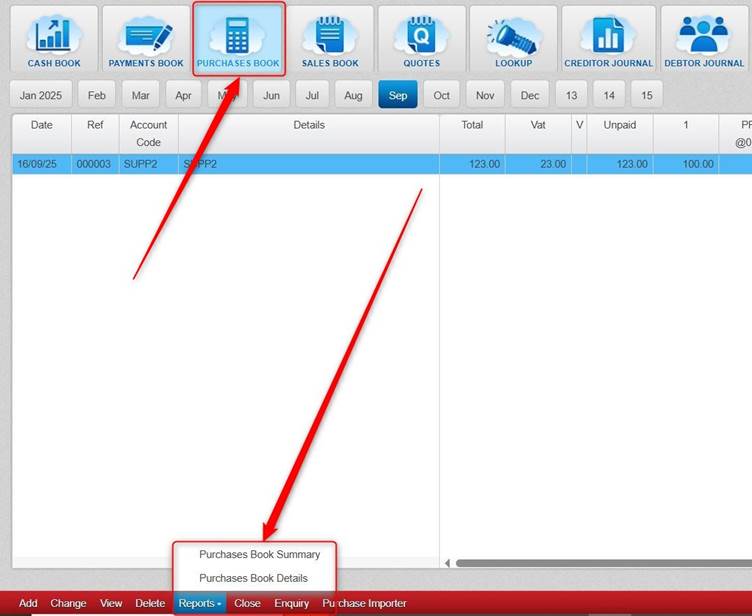
At the bottom of the various books, there is a Reports button which gives access to some reports for whichever book you are in.
Was this article helpful?
That’s Great!
Thank you for your feedback
Sorry! We couldn't be helpful
Thank you for your feedback
Feedback sent
We appreciate your effort and will try to fix the article