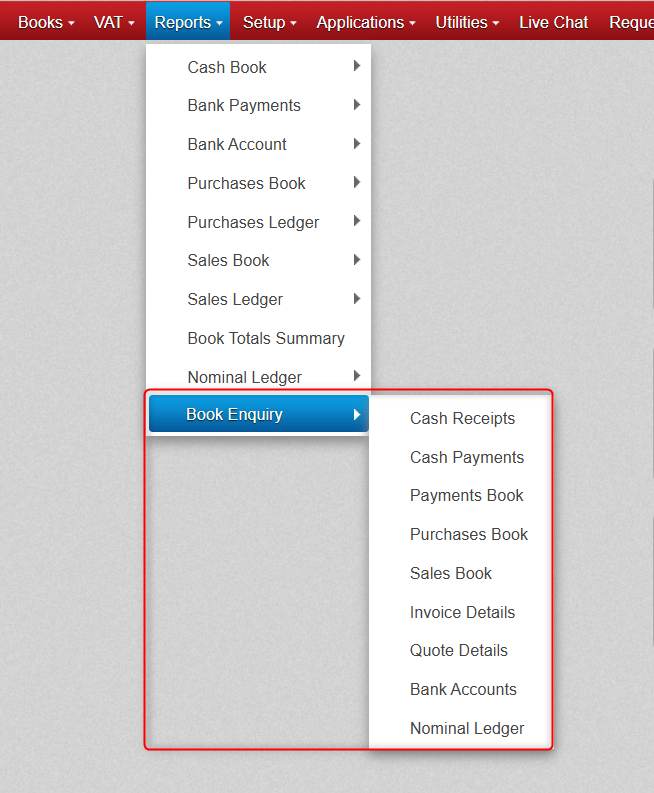
If you find you ever need a report with a little more detail than the Standard Reports, you can use the Book Enquiry feature found in the Report Section.
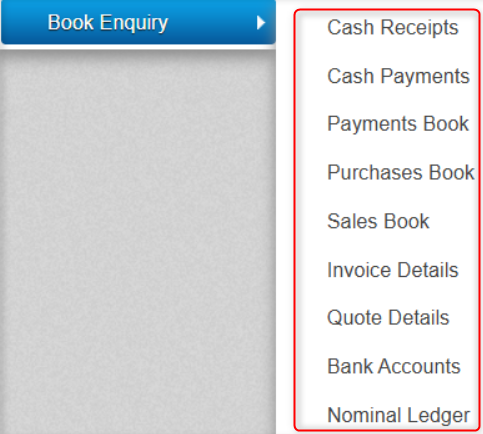
Below are the different areas within the Book Enquiry section that you can build reports around.
Lets say for example, you want to find your sales to a particular customer for a particular period.
You would start by going to Reports, Book Enquiry & Sales Book (as this is concerning sales to a customer).
Lets say we want to find all the sales we made to Aldi for the period of December.
When we first open the Book Enquiry > Sales Book. We are presented with the below filtering option on the screen.
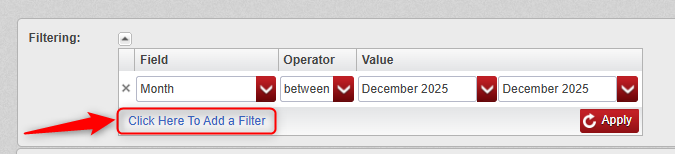
First we click where its marked in red above to add a new filter, we will then have two filtering options.
Below is the criteria you would set to retrieve all the sales we made to Aldi for the period of December.
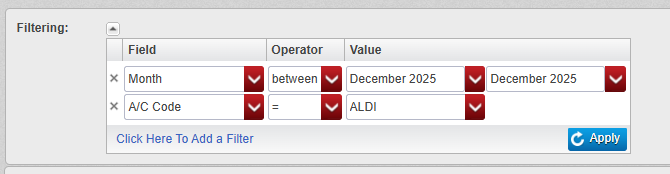
After selecting Apply, you will be presented with a list of the transactions for Aldi during December.
You will see an export option on the bottom of the screen, if you press this it will download an excel file with the data to your PC.
You can use the Book Enquiry and then choose the relevant field (as below) in this manner to retrieve all sorts of data.
The first filter option that appears automatically is the Month period (as seen below).
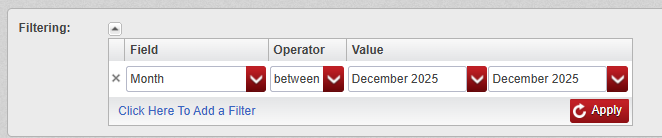
You can then click to add another filter to allow you to search for more criteria.
The criteria available in the field dropdown will differ depending on which of the below options you have chosen.

Was this article helpful?
That’s Great!
Thank you for your feedback
Sorry! We couldn't be helpful
Thank you for your feedback
Feedback sent
We appreciate your effort and will try to fix the article