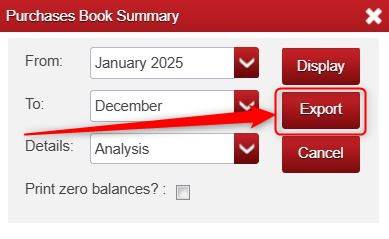
When running a report (e.g. Reports > Purchases Book > Purchases Book Summary), some reports will give an Export option right away, where it allows you to export the report into Excel.
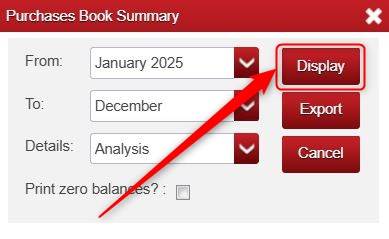
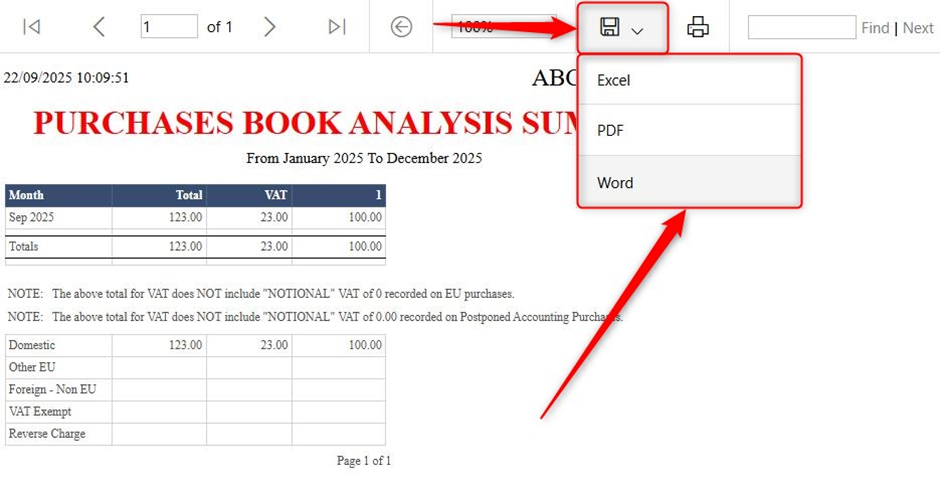
When you Display a report (e.g. Reports > Purchases Book > Purchases Book Summary > choose criteria > Display), there is a Save (floppy disc) button. If you click that Save/floppy disc button it allows you to save the report in Excel, PDF or Word format.
Was this article helpful?
That’s Great!
Thank you for your feedback
Sorry! We couldn't be helpful
Thank you for your feedback
Feedback sent
We appreciate your effort and will try to fix the article