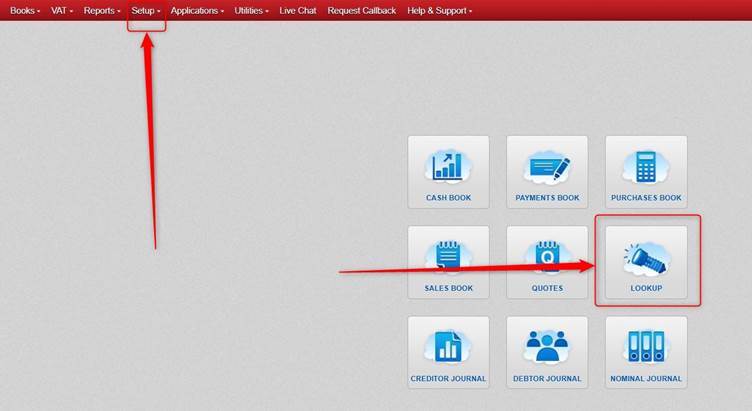
Click Lookup OR Setup.
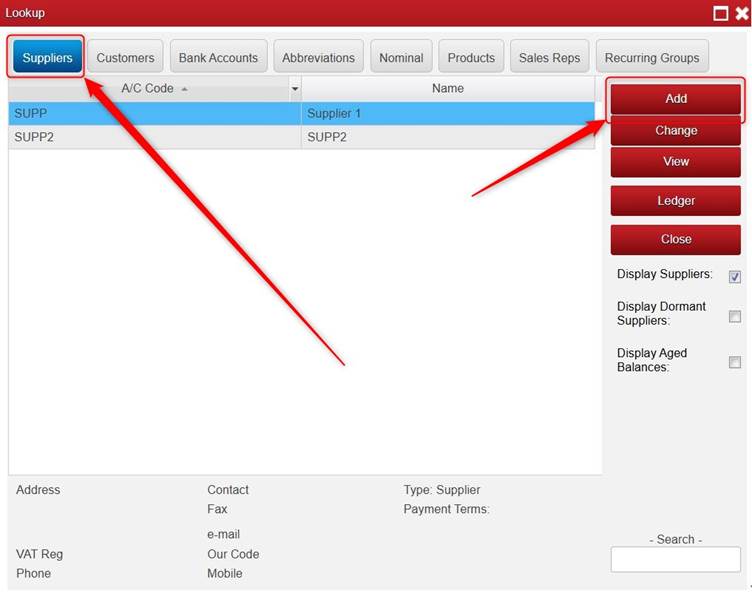
Click Suppliers > click Add.
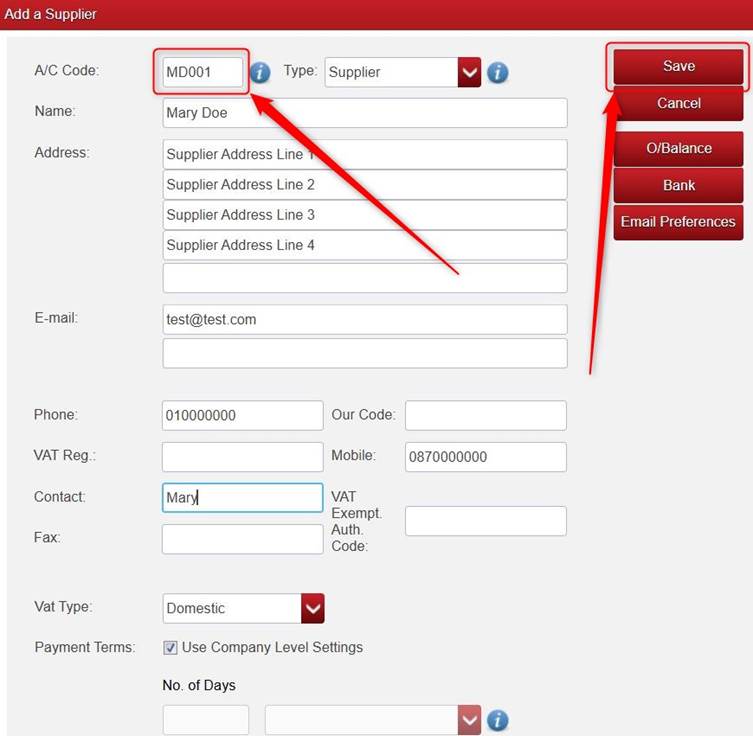
Fill in the relevant Details.
- Please note the A/C Code box is mandatory.
- You can select the relevant VAT Type (e.g. Domestic, Other E.U. etc) for that supplier, and it will default to that VAT Type for transactions for that supplier.
You also have options on the right to:
- Add an opening balance O/Balance.
- Add Bank details for the supplier (BIC/IBAN etc.)
- Set Email Preferences on the supplier, e.g. to set it so that when emailing Remittance, it goes to one or more particular email address of the supplier.
- WARNING: If you are doing these (adding an Opening Balance, Adding Bank Details, setting Email Preferences) please ensure that once you save them, that you also click Save on the Add a Supplier screen).
Once you are happy with the settings you have added for the Supplier, click Save.
Was this article helpful?
That’s Great!
Thank you for your feedback
Sorry! We couldn't be helpful
Thank you for your feedback
Feedback sent
We appreciate your effort and will try to fix the article