Important: You need to be logged in as the Administrator in Big Red Cloud in order to be able to enable this.
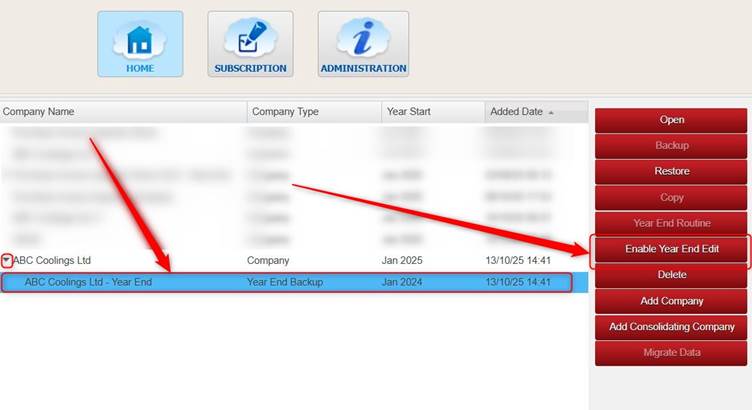
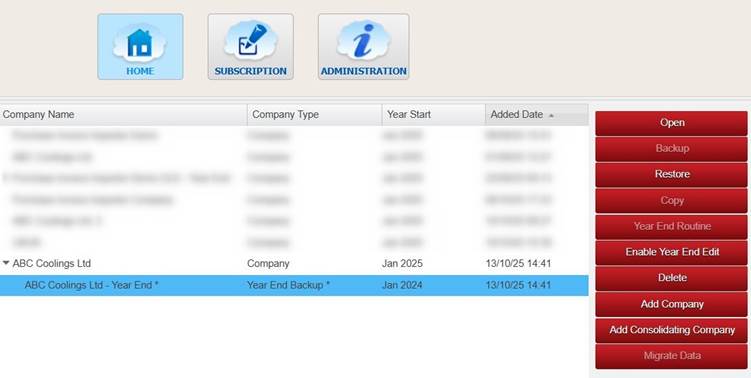
On the Company Selection screen, highlight the Year End Backup that you are looking to make changes to (you may need to click the little arrow to the left of the active year to see the Year End Backups).
Click Enable Year End Edit.
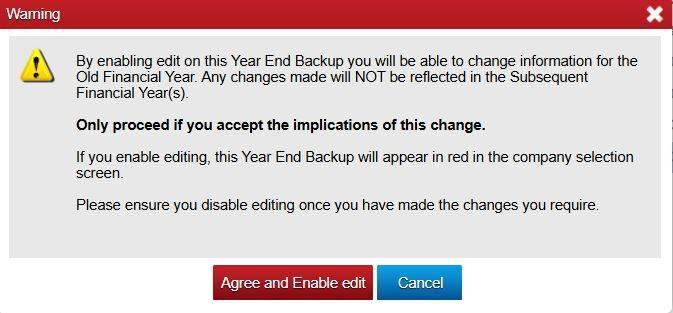
Important: please ensure to read the Warning message before you click Agree and Enable Edit. Or click Cancel if you do not wish to proceed.
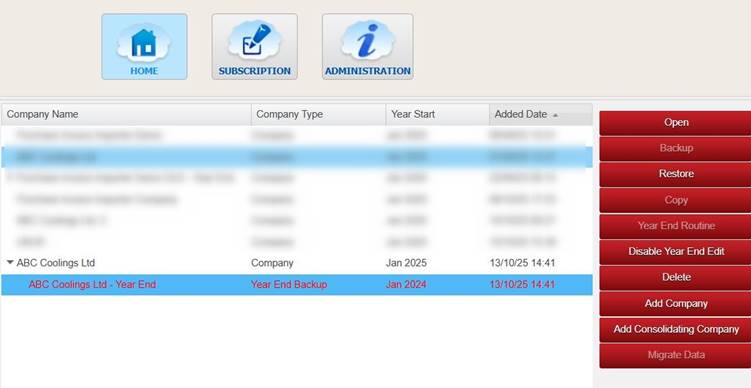
The Year End Backup will show in red (If you click Agree and Enable Edit).
This means that if you open that Year End Backup you will be able to add/change/delete things in it.
Once you are finished making changes to the Year End Backup you can highlight it and click Disable Year End Edit (to switch it back to Read-Only).
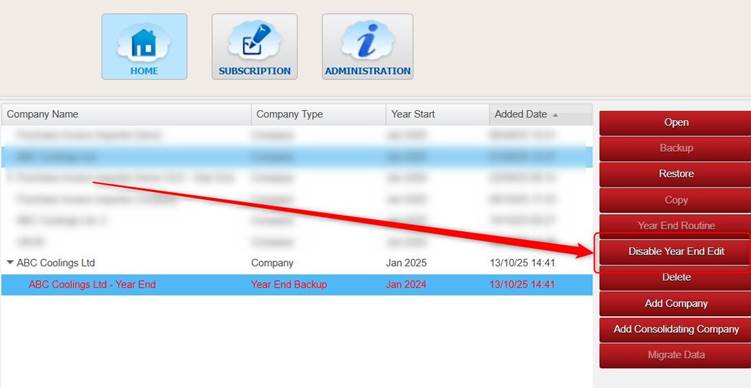
The writing on it will no longer be red, and you will see small astrix * to the side of the Year End Backup indicating that Year End Edit was enabled on it at some point.
Was this article helpful?
That’s Great!
Thank you for your feedback
Sorry! We couldn't be helpful
Thank you for your feedback
Feedback sent
We appreciate your effort and will try to fix the article