The Payments book is used for making payments out from any of your bank accounts.
Its important to ensure you are always in the correct book and the correct month. There isn't a simple way to move transactions between months, so this can help save you from having to delete and re-enter transactions in the correct month.
Example: Making a payment to our Supplier 'Sally the Supplier'.
Steps:
- (1) Open the Payments Book
- (2) Ensure you are in the correct Month
- (3) Ensure you are in the correct bank (if you have more than one bank set up)
- (4) Click 'Add' to make a payment out from the selected bank account
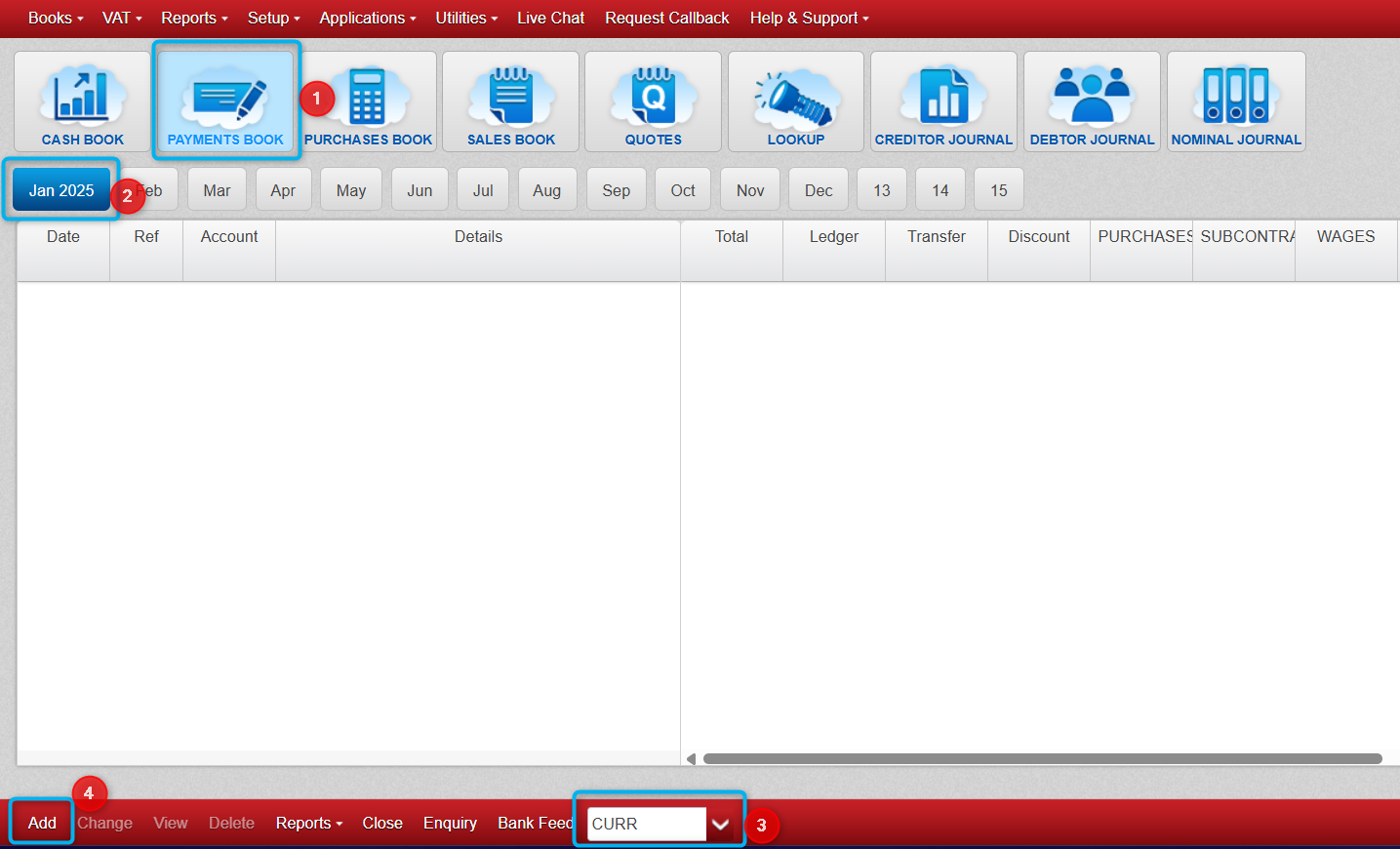
- On the next screen we have to fill out the payment details.
(Below) The four highlighted sections are all that are required, but you can also fill out the details if you wish so you can refer back to what this was for etc.
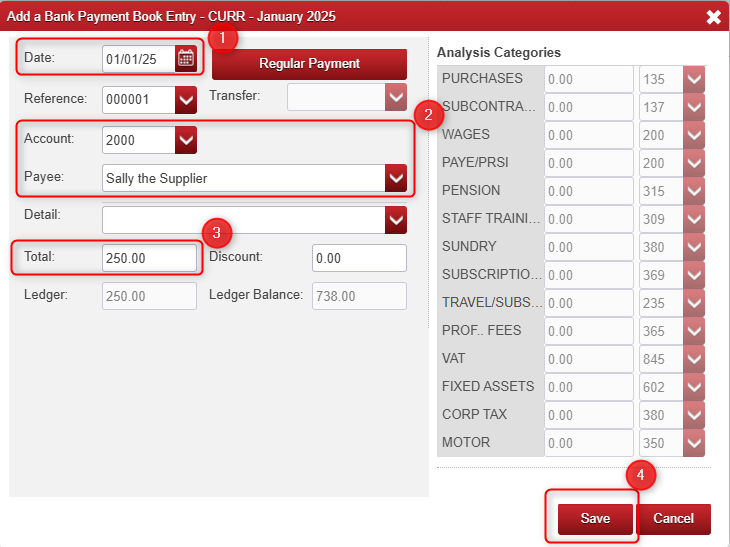
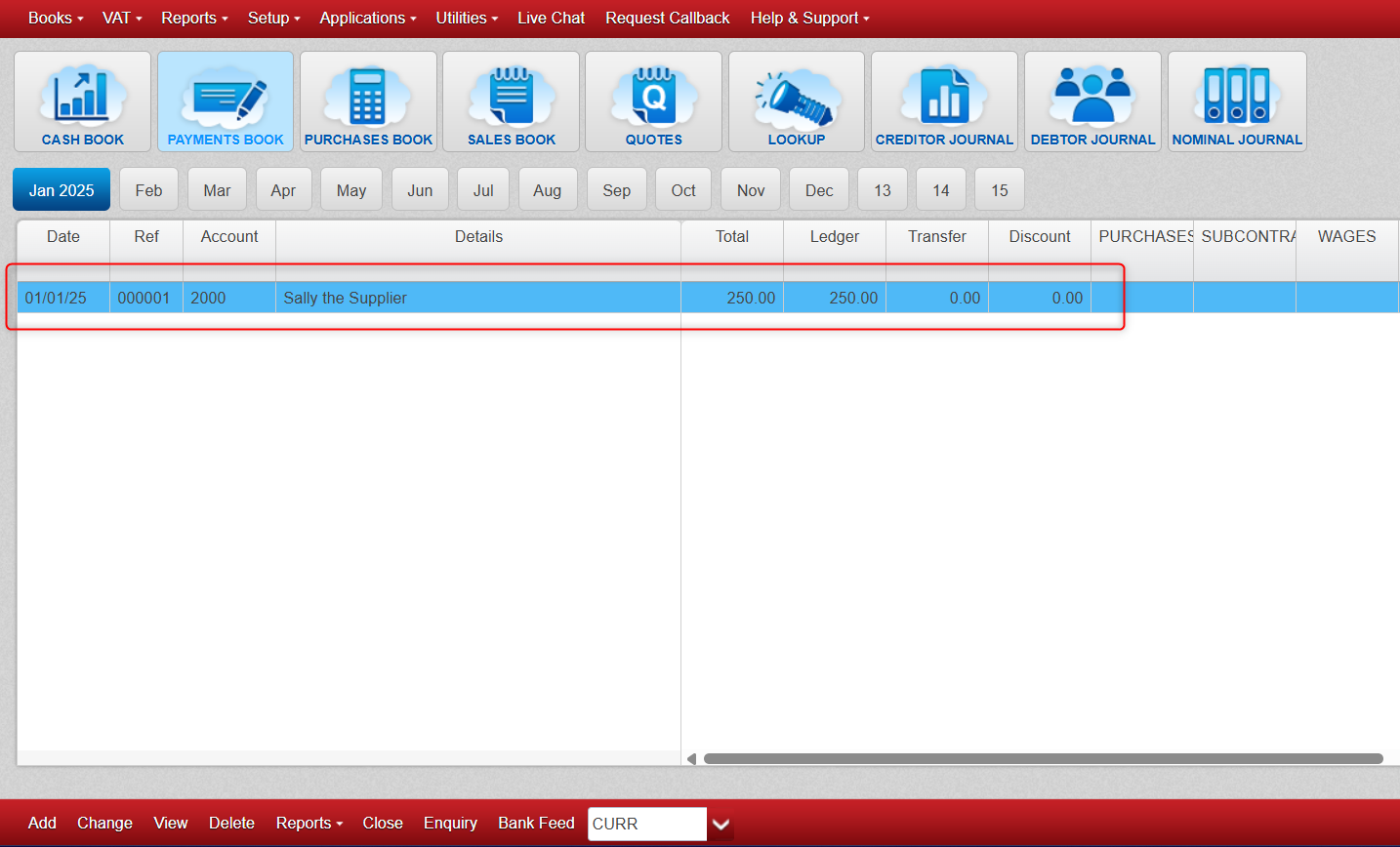
- After clicking 'Save' above you will have made a payment of €250 euro out of your bank account and our Cash Book looks like below.
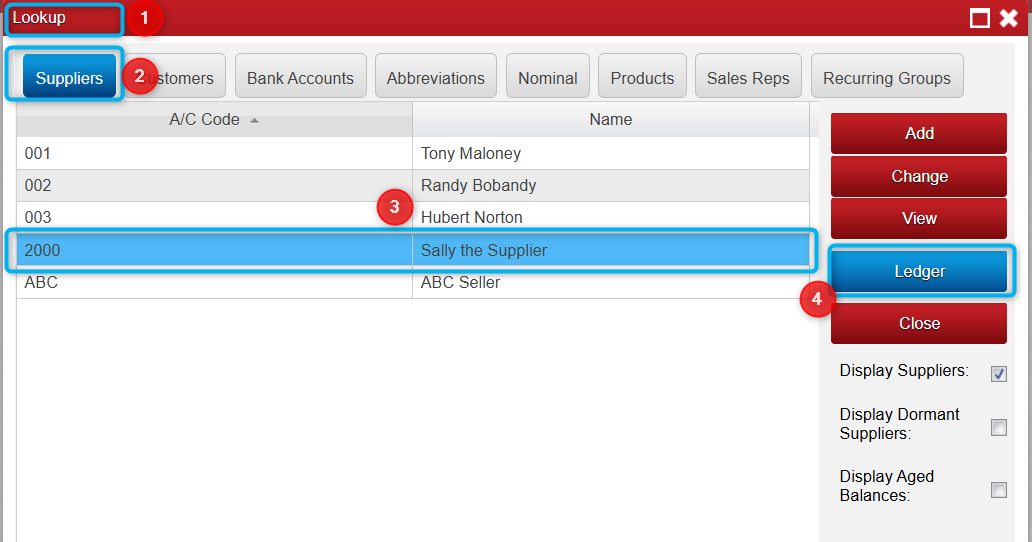
Viewing this Payment from the Supplier Ledger.
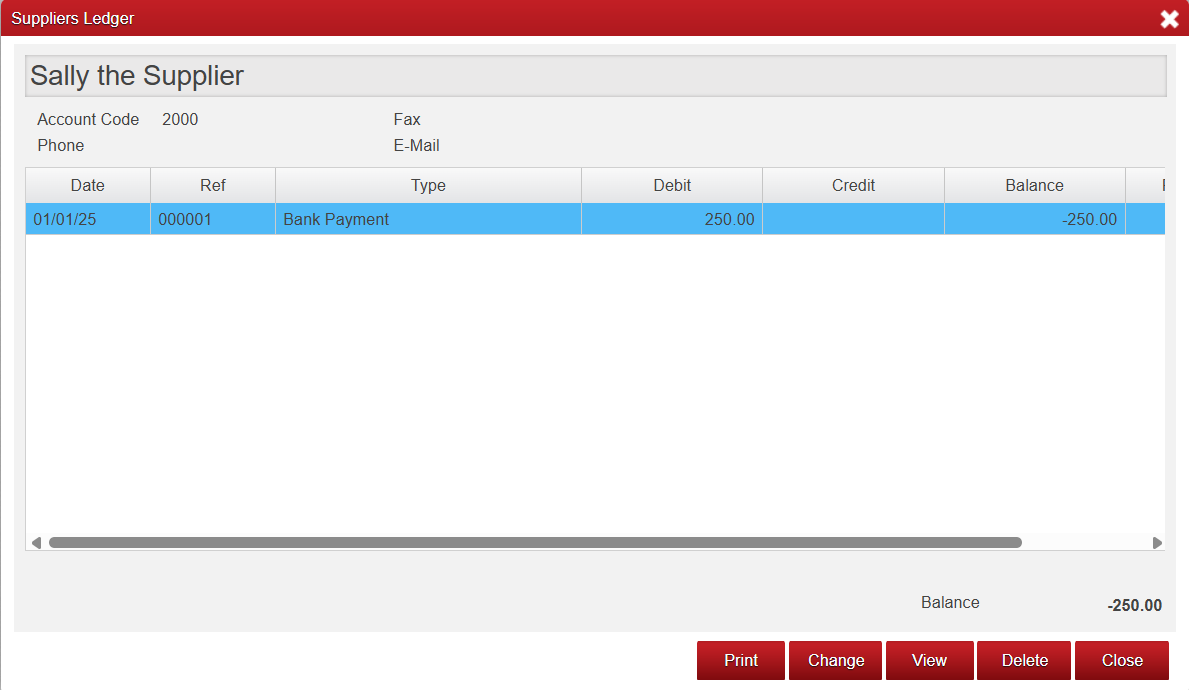
- If you go to Lookup > Suppliers > Select your Supplier (I used Sally the Supplier) and you should see a record of the payment out in the Supplier Ledger also which will contribute towards to the outstanding Supplier Balance if there is any.
Below you can see the €250 Payment we made in the Supplier Ledger.
We can see the Supplier hasn't invoiced us yet (or we haven't yet entered the supplier invoice in the Purchases Book)
So we have overpaid and have a credit balance with the Supplier of €250 as you can see at the bottom right below.

Was this article helpful?
That’s Great!
Thank you for your feedback
Sorry! We couldn't be helpful
Thank you for your feedback
Feedback sent
We appreciate your effort and will try to fix the article