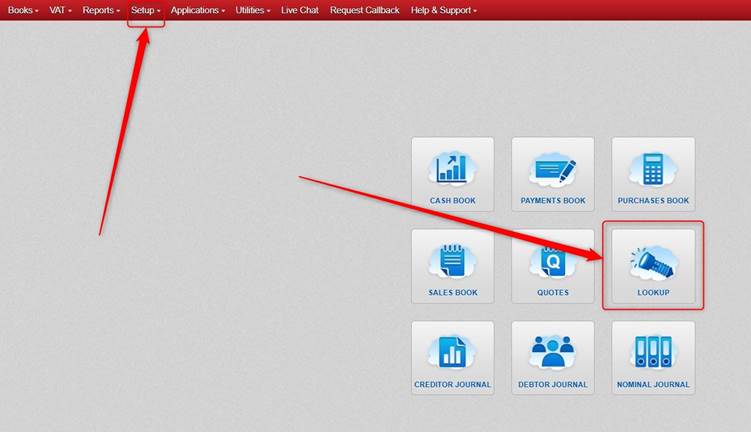
Click Setup or click Lookup.
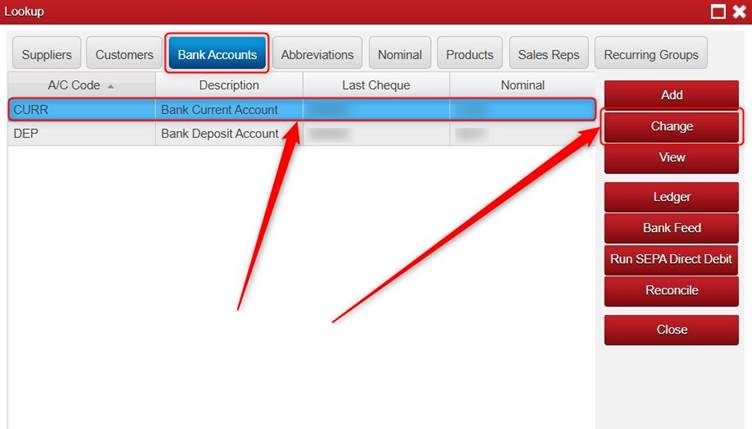
Click Bank Accounts.
Highlight the Bank Account that you want to be the default Bank Account and click Change.
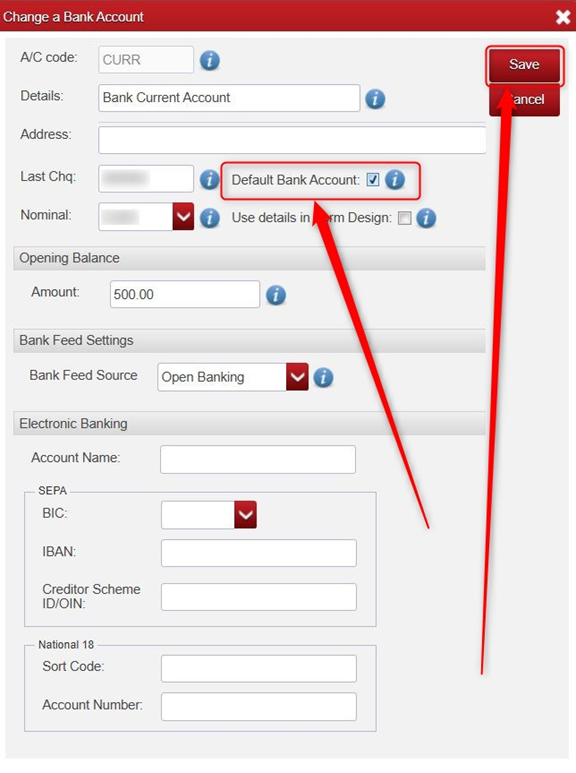
Tick Default Bank Account.
Click Save.
This will mean that:
- When you are entering a Receipt in the Cash Book with Save/Lodge, or a Lodgement, it will default to the Default Bank Account. However, you will be able to change it to a different Bank Account on that transaction if you wish to.
- When you open the Payments Book, it will automatically open on the Payments Book for the Default Bank Account. You will still be able to switch the Bank Account to a different Bank Account (at the bottom of the screen) of the Payments Book when you wish to.
Was this article helpful?
That’s Great!
Thank you for your feedback
Sorry! We couldn't be helpful
Thank you for your feedback
Feedback sent
We appreciate your effort and will try to fix the article