Click Lookup OR Setup.
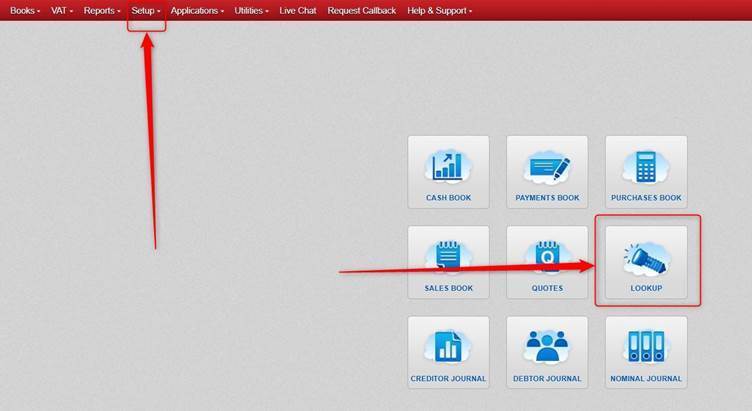
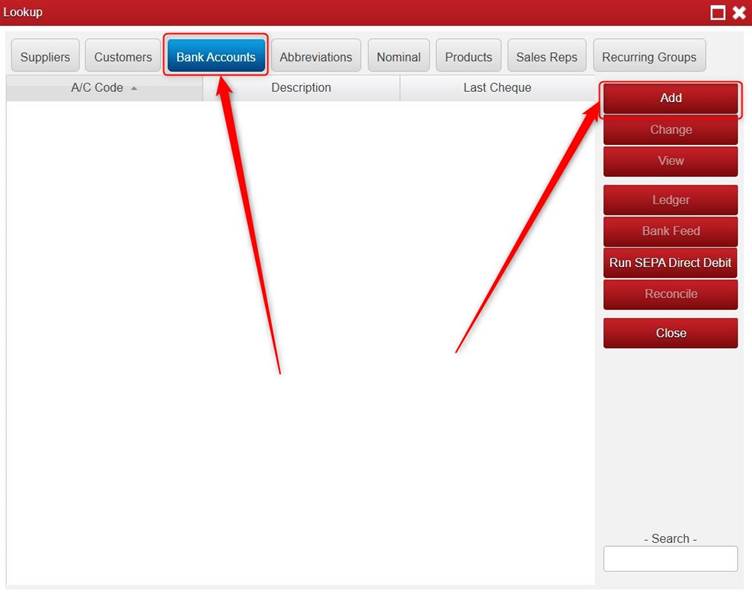
Click Bank Accounts > click Add.
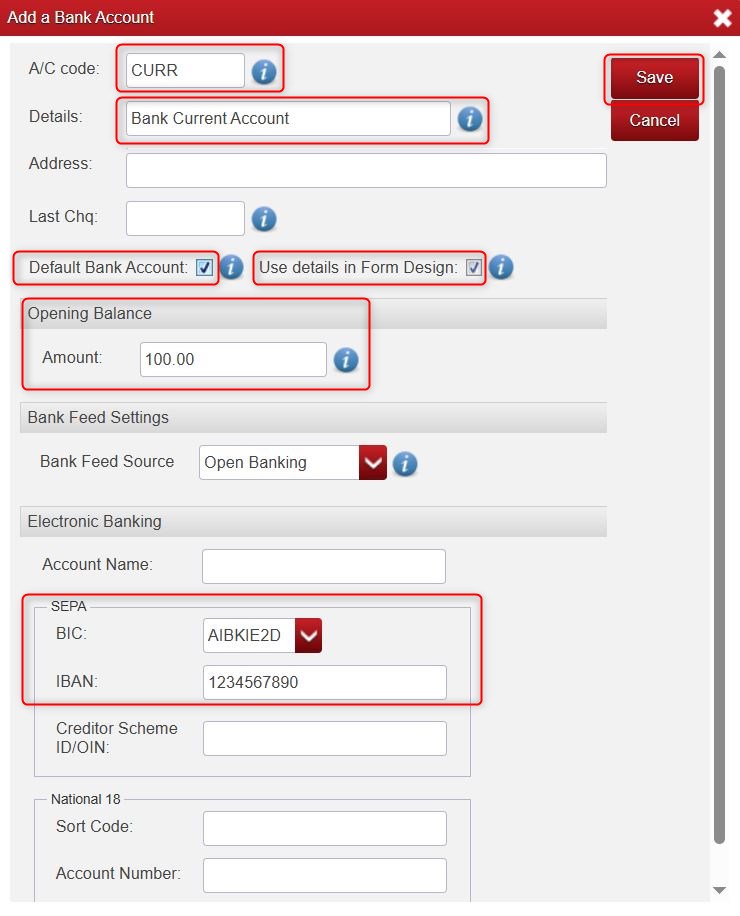
Type in the information that you require:
- Please Note: A/C Code is mandatory (you need to fill something in for it).
- Details: The Bank Account.
- Default Bank Account: if you have more than one bank account, the one that you mark as default is the one that will automatically show when adding Lodgements or Payments.
- Use details in Form Design: When this is ticked, it should show the Bank Account BIC and IBAN on invoices/statements, provided you have entered them further down the screen. Note: if does not show them on invoices/statements etc. after doing this, please contact us.
- Opening Balance: You can enter the Bank Account Reconciled Opening Balance here. Note: this would be as of the First Month set in your Financial Year, rather than as of the Start Month set. For example, say your Financial Year in Big Red Cloud is set as follows: Start Month January 2025. First Month June 2025. The Opening Balance in this case will be seen as a balance starting from June 2025.
Click Save.
Was this article helpful?
That’s Great!
Thank you for your feedback
Sorry! We couldn't be helpful
Thank you for your feedback
Feedback sent
We appreciate your effort and will try to fix the article