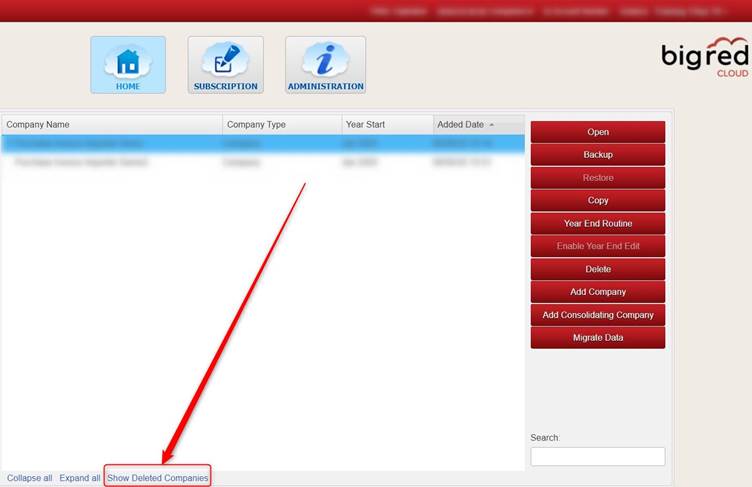
On the Company Selection screen, click the Show Deleted Companies button.
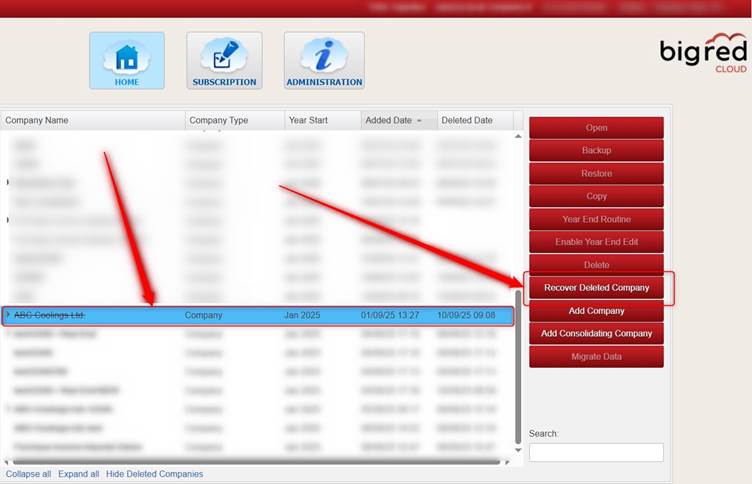
Next, highlight the company that you deleted and click Recover Deleted Company.
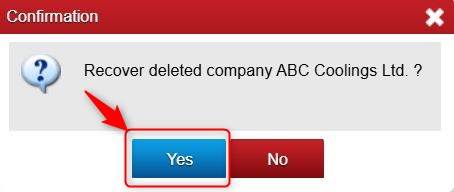
Click Yes.
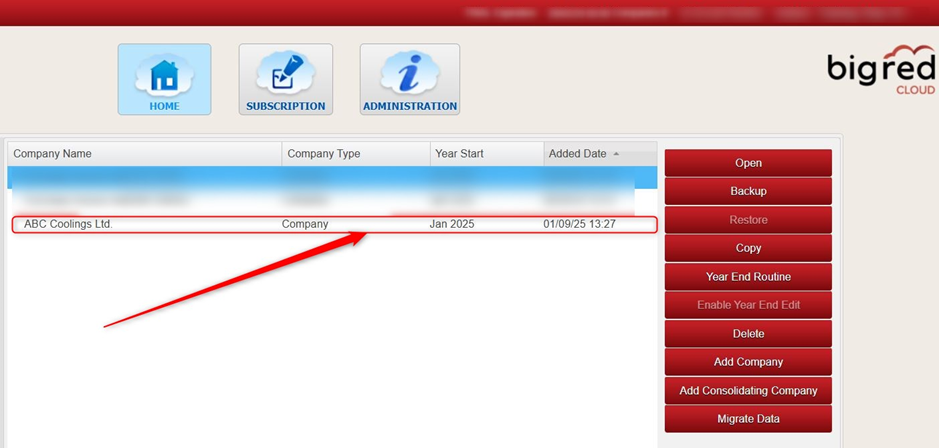
Your company should show again now on the Company Selection screen.
Was this article helpful?
That’s Great!
Thank you for your feedback
Sorry! We couldn't be helpful
Thank you for your feedback
Feedback sent
We appreciate your effort and will try to fix the article