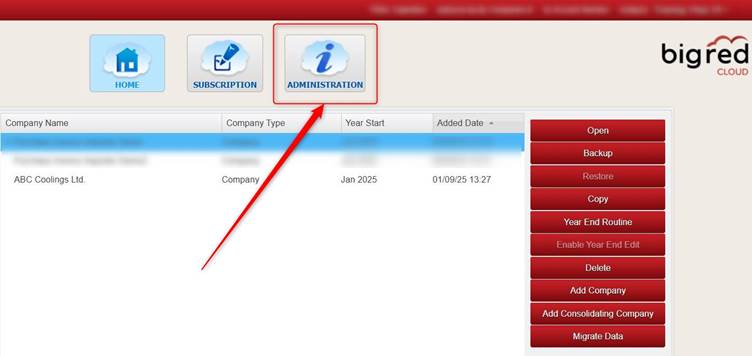
On the Company Selection screen, click the Administration button.
Note: Your Big Red Cloud company has just one Administrator. This is likely the person who initially set up your Big Red Cloud account (i.e. yourself or one of your colleagues). Only the Administrator has access to the Administration section.
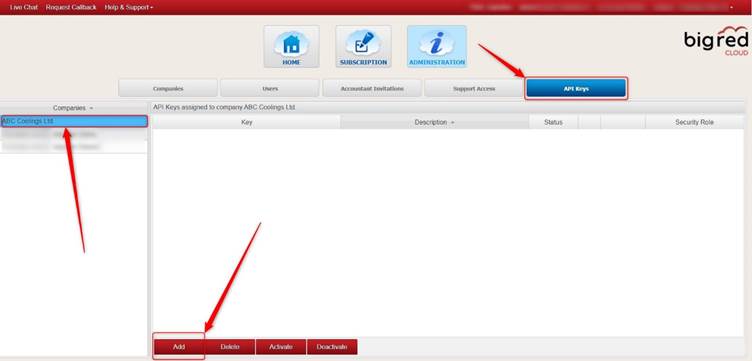
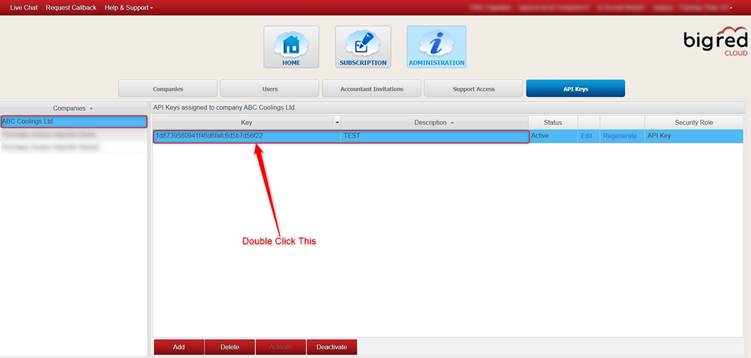
Click the API Keys tab, then select the relevant company on the left (if you have more than one company) and click Add (down at the bottom of the screen).
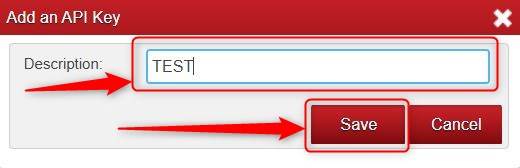
Type anything you like into the Description box and click Save.
Your API Key will show now (the Key on the left, the Description to the right of it).
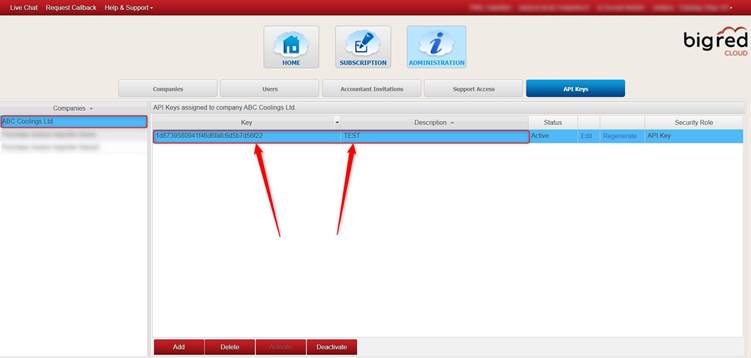
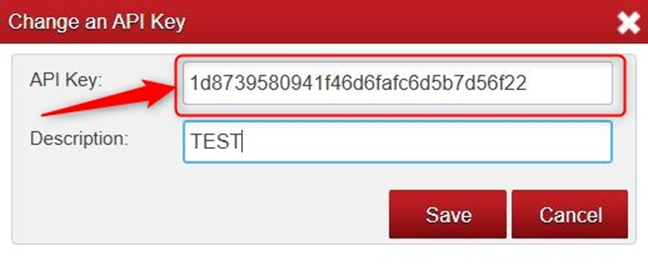
If you double click the Key, it will bring you to a screen where you can copy the API Key.
Was this article helpful?
That’s Great!
Thank you for your feedback
Sorry! We couldn't be helpful
Thank you for your feedback
Feedback sent
We appreciate your effort and will try to fix the article