All Accountants of paying customers get accountants access to Big Red Cloud free of charge.
What you need to do is outlined below:
- Have your Accountant call us to register their email (if not done already)
- Then go to Big Red Cloud, and head into the Administration section (found on the company selection screen)
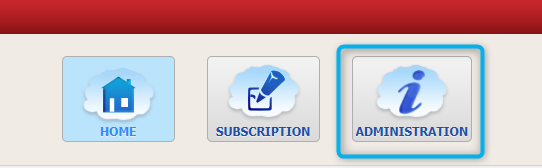
- Then go to the 'Accountant Invitations' tab.

- Click 'New Invitation' at the bottom of the screen and enter the accountants email address.
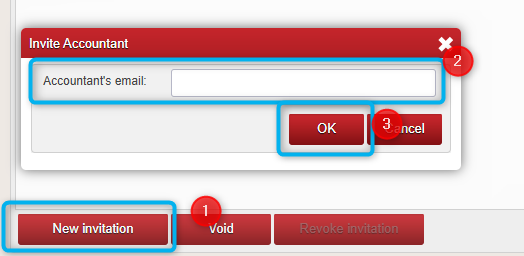
- Your Accountant will then get an Invitation email (once they have registered their email with us) and when they accept they will then appear in the Administration section under the 'Users' tab.

- Highlight the Accountant User on the left side of the screen and then select the button at the bottom of the screen 'Assign to Companies'

- Select the Company/Companies(if more than one) that you wish to give your accountant access to and select 'Assign'.
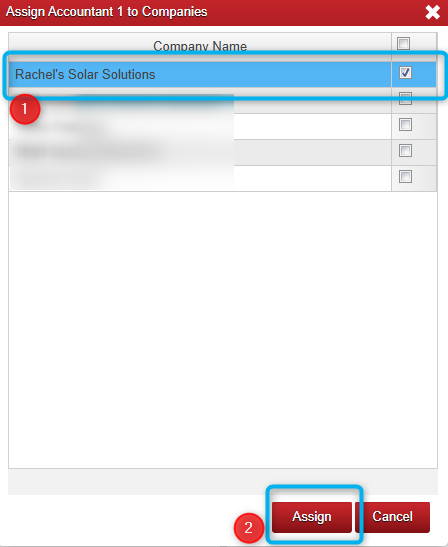
- When your accountant signs in next they will see your company on the left hand of their screen.
Was this article helpful?
That’s Great!
Thank you for your feedback
Sorry! We couldn't be helpful
Thank you for your feedback
Feedback sent
We appreciate your effort and will try to fix the article