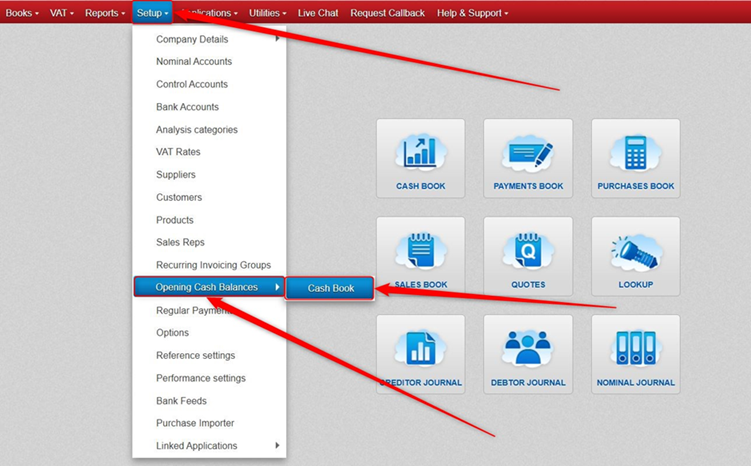
Click Setup > click Opening Cash Balances > click Cash Book.
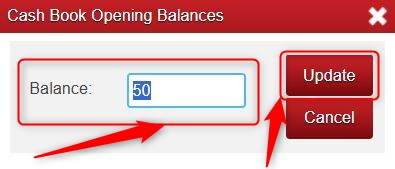
Type in the relevant figure and click Update.
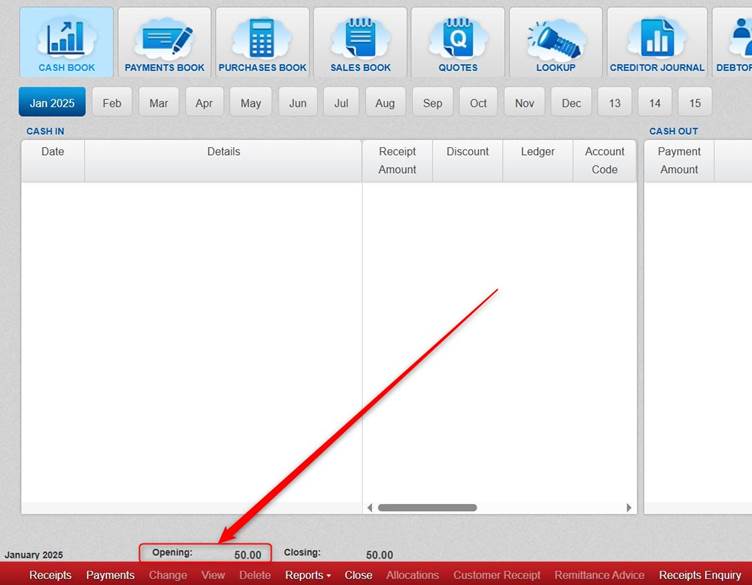
If you click into the Cash Book and go to the First Month (Please Note: your First Month might not be the same month as your Start Month), you will see the Opening Balance you added showing.
Was this article helpful?
That’s Great!
Thank you for your feedback
Sorry! We couldn't be helpful
Thank you for your feedback
Feedback sent
We appreciate your effort and will try to fix the article