You can create multiple filters by clicking FILTERS and selecting how you want to filter it.
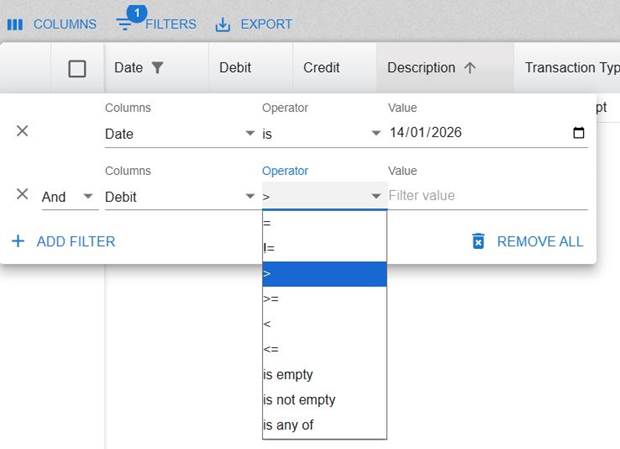
For example, the below is filtered to show only transactions with the date 14/01/2026 (see the column Date). However, you can choose the relevant Operator and Value.
Below that, you can click ADD FILTER to add more filters (see screenshot below -in this example with the column Debit).
You can click REMOVE ALL to remove the filters.
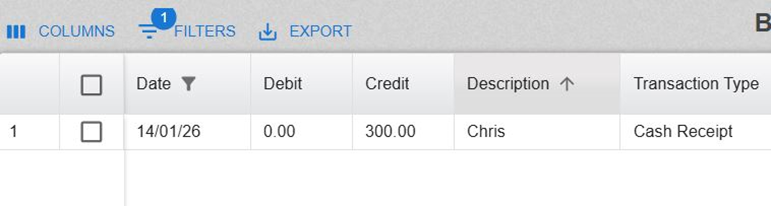
In this example, there is just 1 transaction with the date of 14/01/2026 and so it only displays that transaction.
Was this article helpful?
That’s Great!
Thank you for your feedback
Sorry! We couldn't be helpful
Thank you for your feedback
Feedback sent
We appreciate your effort and will try to fix the article