You can set up Rules which you can apply to get Big Red Cloud to select a certain customer/supplier/analysis categories/nominals – saving you even more time.
Click Manage Rules > Add
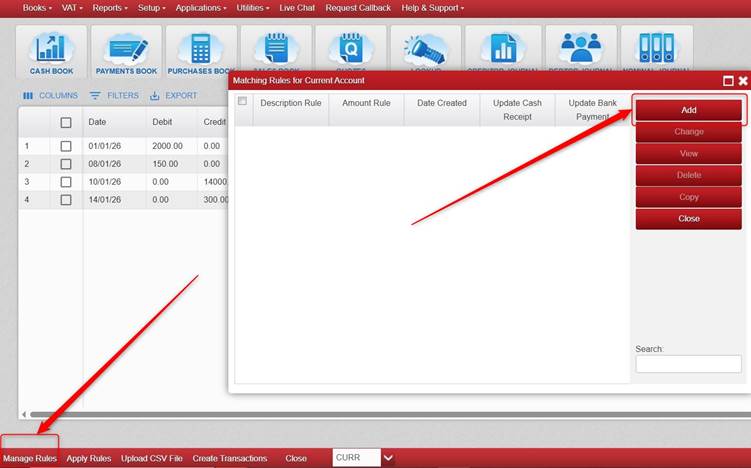
See 2 sample rules:
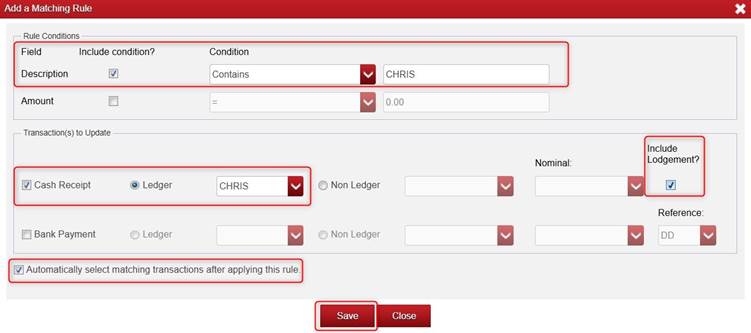
Example 1: Here we are saying that:
- IF the Description contains the word CHRIS
- That it will be a Cash Receipt for the Customer Account CHRIS
- And that we want to Include Lodgement (i.e. the Payments side/lodgement part in the Cash Book)
- We will tick Automatically select matching transactions after applying this rule.
- Click Save once you are happy with the rule.
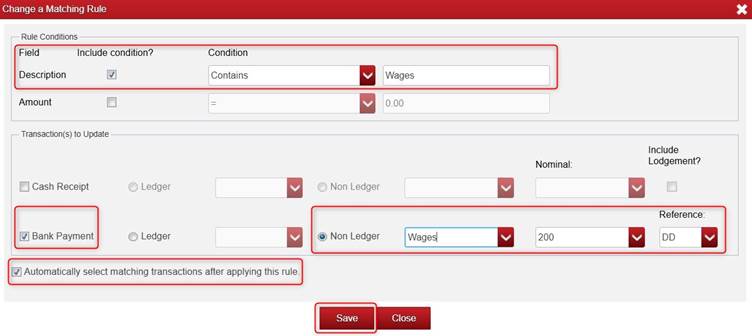
Example 2: Here we are saying that:
- IF the Description contains the word Wages.
- That it will be a Bank Payment to the Analysis Category Wages and to the Nominal Account 200 with a Reference of DD.
- We will tick Automatically select matching transactions after applying this rule.
- Click Save once you are happy with the rule.
Please note, these are just examples.
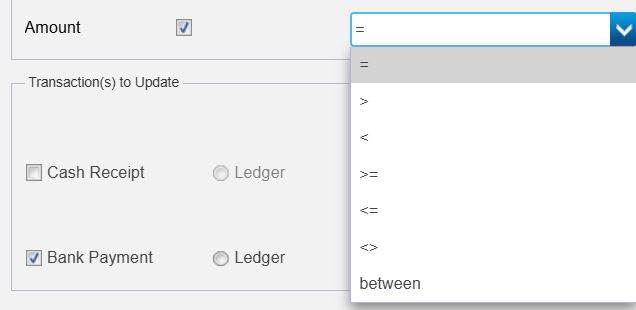
- You can also set rules on Amount AND Description, or one or the other.
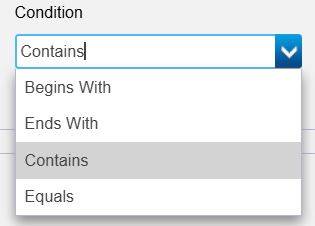
- You can change the Condition beside Description.
- You can change the Condition beside Amount.
Click Apply Rules (at the bottom of the screen)

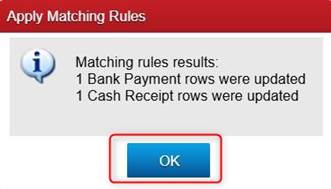
It will then show how many transactions it applied the rules to. Click OK.
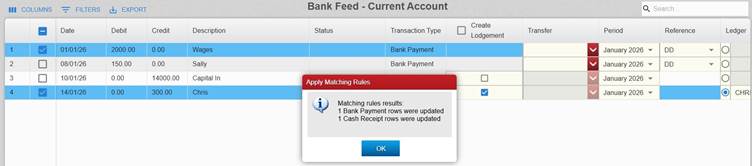
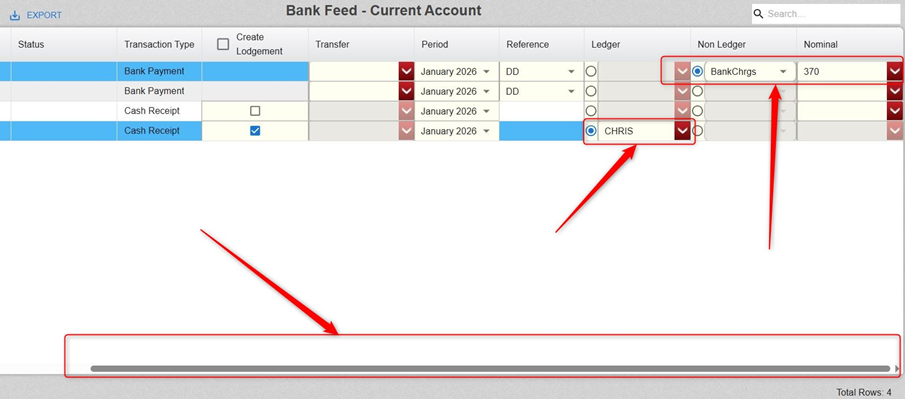
You can use the horizontal bar at the bottom of the screen to move over to the right to see the other columns.
We can see here the rules once applied have selected CHRIS and Bank Charges 370 (so we did not have to select these manually). However, it will still allow you to change the customer/supplier/analysis category/nominal on them if you wish.
We can manually select the relevant customer/supplier/analysis category/nominal on the other transactions. We can also tick Create Lodgement.
Was this article helpful?
That’s Great!
Thank you for your feedback
Sorry! We couldn't be helpful
Thank you for your feedback
Feedback sent
We appreciate your effort and will try to fix the article