The date on a document and the accounting period in which it needs to be dealt with are not always the same thing. That becomes important when an invoice or payment is discovered after a VAT period has already been prepared, or when a transaction relating to an earlier period arrives late. Big Red Cloud lets you retain the correct transaction information while controlling the accounting period in which it is recorded.
For example: say an invoice from a supplier was dated in February e.g. 01/02/2026, but you did not receive the actual invoice until April. The program will allow you to enter the invoice into the April Tabbed Month but with a February Date. The VAT report in Big Red Cloud pulls the information from the Month tab and so it will display in the April VAT report in Big Red Cloud.
In this example:
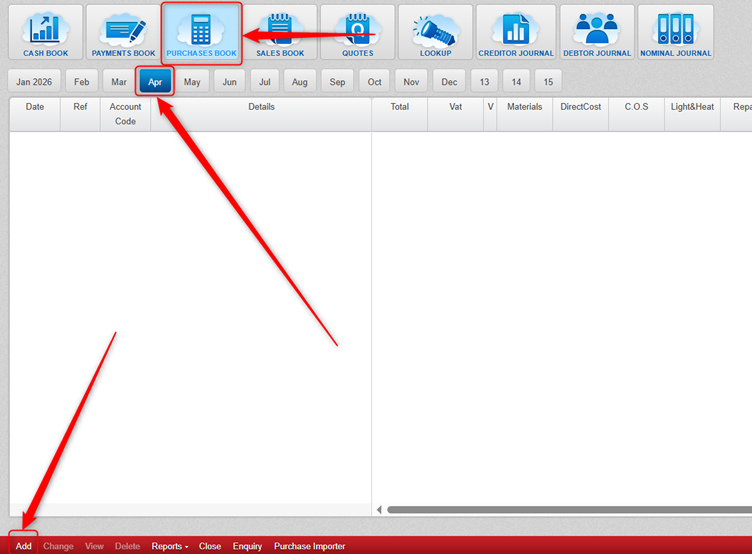
- You would click into the Purchases Book.
- You would then click the April tabbed Month.
- You would then click Add.
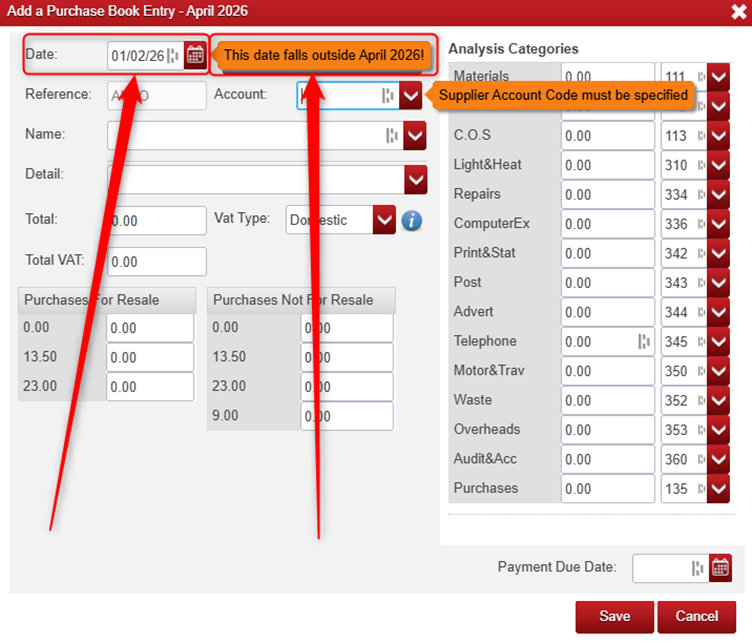
- You would then enter the February Date e.g. 01/02/2026 (it will give you a warning that the date falls outside February 2026 – in this example we are expecting this).
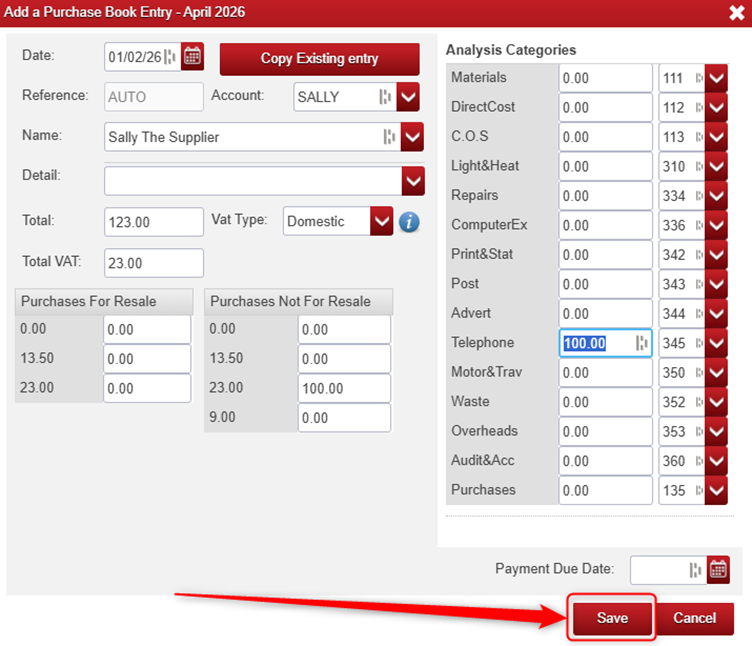
- You would then continue adding the Purchase Book Entry as normal from here (selecting the relevant supplier, and entering the relevant figures etc.) and click Save.
Was this article helpful?
That’s Great!
Thank you for your feedback
Sorry! We couldn't be helpful
Thank you for your feedback
Feedback sent
We appreciate your effort and will try to fix the article