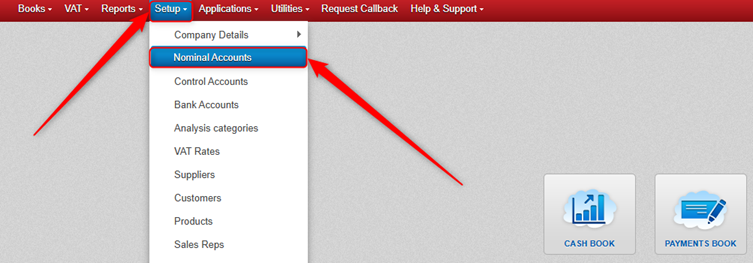
Click Setup > Nominal Accounts (or Lookup > Nominal).
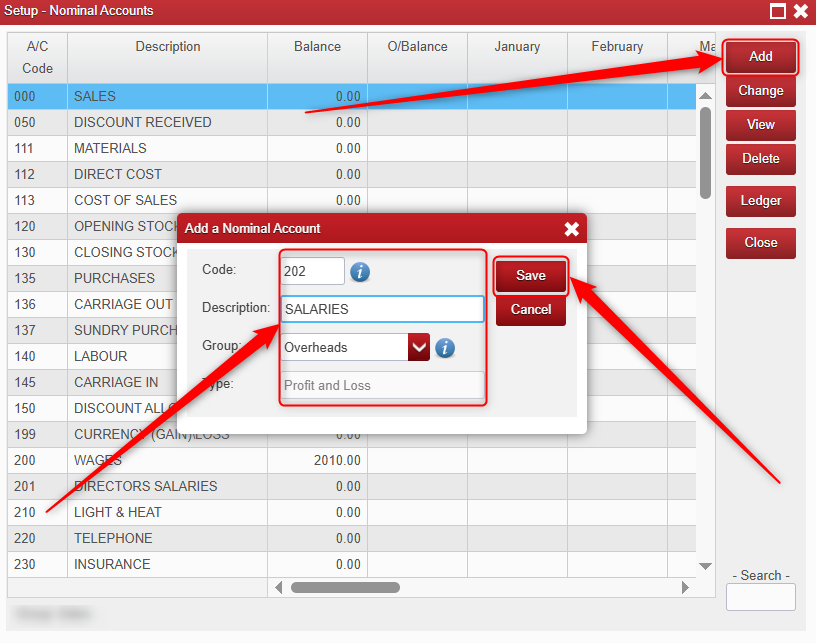
Click Add.
Enter a Nominal Code of your choosing (it must be unique).
Enter a Description.
Choose the Group that you want it to go to (The Group that you select will automatically determine whether the Nominal Account is a Profit and Loss Type Nominal or a Balance Sheet Type Nominal).
Click Save.
Was this article helpful?
That’s Great!
Thank you for your feedback
Sorry! We couldn't be helpful
Thank you for your feedback
Feedback sent
We appreciate your effort and will try to fix the article