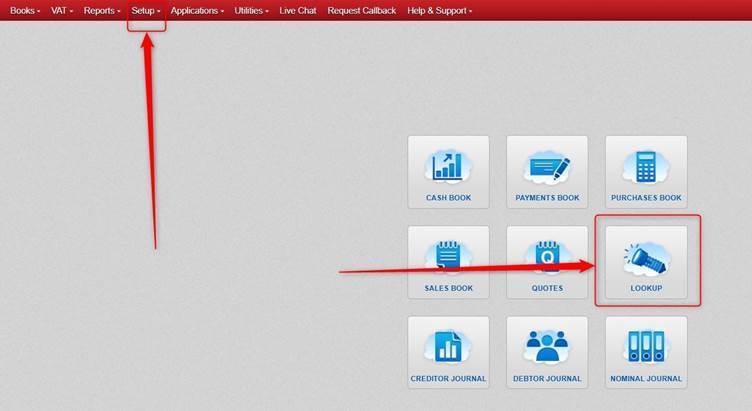
Click Lookup OR Setup.
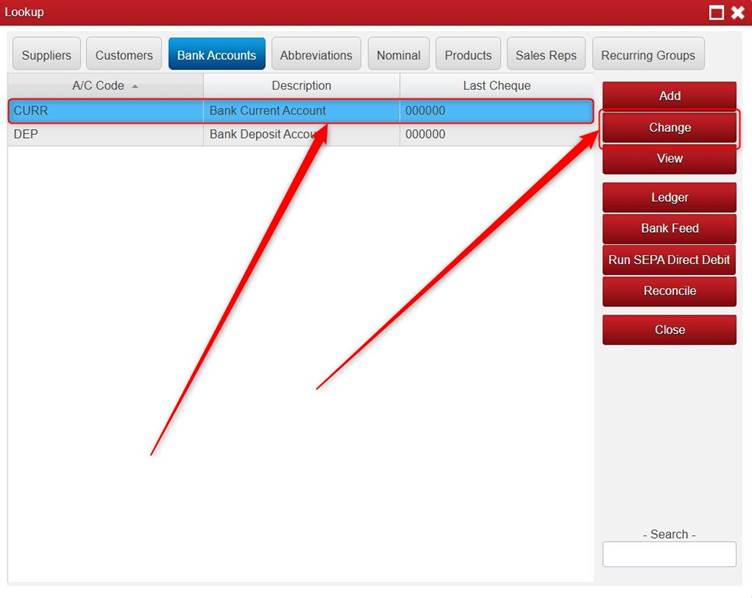
Click Bank Accounts.
Click Add (if you are adding a new Bank Account). Please Note: A/C Code is mandatory (you need to fill something in for it).
Or highlight the relevant Bank Account and click Change.
Tick Use details in Form Design.
Enter the BIC and IBAN.
Click Save.
Note: if does not show the Bank Details on invoices/statements etc. after doing this, please contact us.
Was this article helpful?
That’s Great!
Thank you for your feedback
Sorry! We couldn't be helpful
Thank you for your feedback
Feedback sent
We appreciate your effort and will try to fix the article